
Claude Pro gave me the most useful single conversation I had all quarter — a 90-minute deep-dive on a design system migration that would have taken two days solo. But it also hit a rate-limit wall at the worst possible moment, mid-sprint, on a Tuesday. That tension — genuinely transformative capability paired with unpredictable constraints — is what separates the tools on this list from each other.
I spent eight weeks running real work through eight AI subscriptions priced at $20/month or under. Not toy demos. Actual client deliverables, code reviews, meeting summaries, and writing projects. Here is what I found.
Quick Verdict

| Award | Tool | Price | Why |
|---|---|---|---|
| Overall Winner | Claude Pro | $20/month | Best reasoning quality and context depth at this price tier |
| Best for Coding | GitHub Copilot Pro | $10/month | Agent mode GA, unlimited completions, lowest entry cost |
| Best Budget | ElevenLabs Starter | $5/month | Unmatched voice quality per dollar, commercial rights included |
| Best for Design | Canva Pro | $10/month annual | 25+ Magic Studio tools, brand kit, excellent templates |
| Best for Research | Google AI Pro | $19.99/month | NotebookLM depth, 1M context, full Workspace integration |
| Skip For Now | Perplexity Pro | $20/month | Undisclosed model downgrades, Pro search cuts, trust collapse |
Testing Methodology

I ran each tool through a structured four-week rotation on my 2023 MacBook Pro M2 Pro, with VS Code as my primary editor and a four-person virtual team spread across design, development, writing, and research roles. Each tool was evaluated across six weighted criteria: output quality (30%), reliability and uptime (20%), UX and discoverability (20%), value for money (15%), integration depth (10%), and transparency about limits (5%). I logged every session that hit a rate limit, unexpected pricing wall, or model degradation event. I also cross-referenced public incident reports, Hacker News threads, and release notes to separate “worked fine for me” from “has a known systemic issue.”
Full Comparison Table
| Tool | Best For | Monthly Price | Annual Price | Free Plan | Rating | Standout Feature |
|---|---|---|---|---|---|---|
| Claude Pro | Long-context reasoning | $20/month | $200/year ($16.67/mo) | Yes (limited) | 8.7/10 | 1M token context window |
| GitHub Copilot Pro | Code completion + agents | $10/month | $10/month | Yes | 8.4/10 | Agent mode in VS Code + JetBrains |
| Grammarly Pro | Writing polish | $12/month annual | $12/month | Yes | 8.1/10 | 2,000 AI prompts + plagiarism check |
| Google AI Pro | Research + Workspace users | $19.99/month | $8.33/month (promo) | No | 7.9/10 | NotebookLM + 2TB storage bundle |
| Canva Pro | Visual content creation | $10/month annual | $10/month | Yes | 7.8/10 | Magic Studio 25+ AI tools |
| Otter.ai Pro | Meeting transcription | $8.33/month annual | $8.33/month | Yes (limited) | 7.6/10 | OtterPilot auto-join + action items |
| ElevenLabs Starter | Voice generation | $5/month | $5/month | Yes (limited) | 7.2/10 | Instant voice cloning, 28+ languages |
| Perplexity Pro | Web research | $20/month | $16.67/month | Yes | 6.4/10 | Deep Research mode (when available) |
Claude Pro — 8.7/10
Price: $20/month
Best for: Long-form writing, document analysis, complex reasoning tasks
Claude Sonnet 4.6 is the engine here, and the 1M token context window — available in beta via Sonnet 4.6 on Pro, Max, Team, and Enterprise tiers — is the feature that changes how you work. The standard Pro web interface provides a 200K token context window, with the 1M beta accessible for extended sessions. I loaded an entire legacy codebase, three spec documents, and a Figma export description into a single conversation and asked Claude to identify inconsistencies. It caught things I had missed in manual review.
The Cowork agentic feature, launched January 16, 2026 to all Pro users, lets Claude take multi-step actions across tasks with less hand-holding. I used it to draft, revise, and restructure a 4,000-word technical brief in a single session. It is not flawless — it sometimes gets cautious mid-task and asks for confirmation you did not expect — but the direction is right.
The honest weakness: rate limits are real and inconsistent. In March 2026, Anthropic acknowledged a rate-limit drain bug that was burning through users’ quotas faster than expected during peak hours (5am–11am PT on weekdays). I hit walls on three separate afternoons. As XDA Developers reported in March 2026: “I almost ditched Claude over its brutal rate limits, but then it nailed something no other AI could.” That quote captures the relationship exactly.
One expert note worth flagging: the 1M context window degrades under load. I noticed attention drift on very long inputs — later sections of a document got less careful treatment than the opening. It is not catastrophic, but if you are loading a 300K token codebase, do not assume every line gets equal weight.
Important pricing clarity: Claude Code, the agentic terminal tool, requires the $100/month Max plan and is not included in Pro. If you are comparing Claude Pro to Cursor Pro for coding workflows, you are not comparing like for like. For full agentic coding, you need the Max tier at $100/month Expanded or $200/month Ultimate.
Pricing:
- Free: Limited messages, Claude Haiku 4.5, no Cowork
- Pro: $20/month or $200/year (~$16.67/month, ~17% savings) — Sonnet 4.6, 1M context, Cowork, file uploads, 5x usage vs free
- Max Expanded: $100/month — Opus 4.6, Claude Code terminal agent
- Max Ultimate: $200/month — Highest usage limits
Pros:
- 1M token context handles book-length documents and entire codebases in one conversation
- Cowork agentic feature expands what $20/month can accomplish significantly
- Output quality on complex analytical tasks consistently outperforms alternatives at this price
- Google Workspace integration (Docs, Gmail) works without manual copy-paste
- Adaptive thinking handles nuanced writing tasks better than most alternatives here
Cons:
- Rate limits are opaque — no published per-message count, only “5x usage vs Free”
- March 2026 caching bug caused abnormal token drain during peak hours (partially unresolved)
- Claude Code requires $100/month Max — the $20 Pro tier is not the full coding experience
- No image generation capability — unlike ChatGPT Plus, Claude has no DALL-E or equivalent
- Mobile app is functional but clearly an afterthought compared to the web experience
For a direct comparison between Claude Pro and ChatGPT Plus at the same price, see Claude vs ChatGPT 2026: Hands-On Test Across 12 Tasks.
GitHub Copilot Pro — 8.4/10
Price: $10/month
Best for: Developers who want inline completions and multi-file editing in their existing IDE
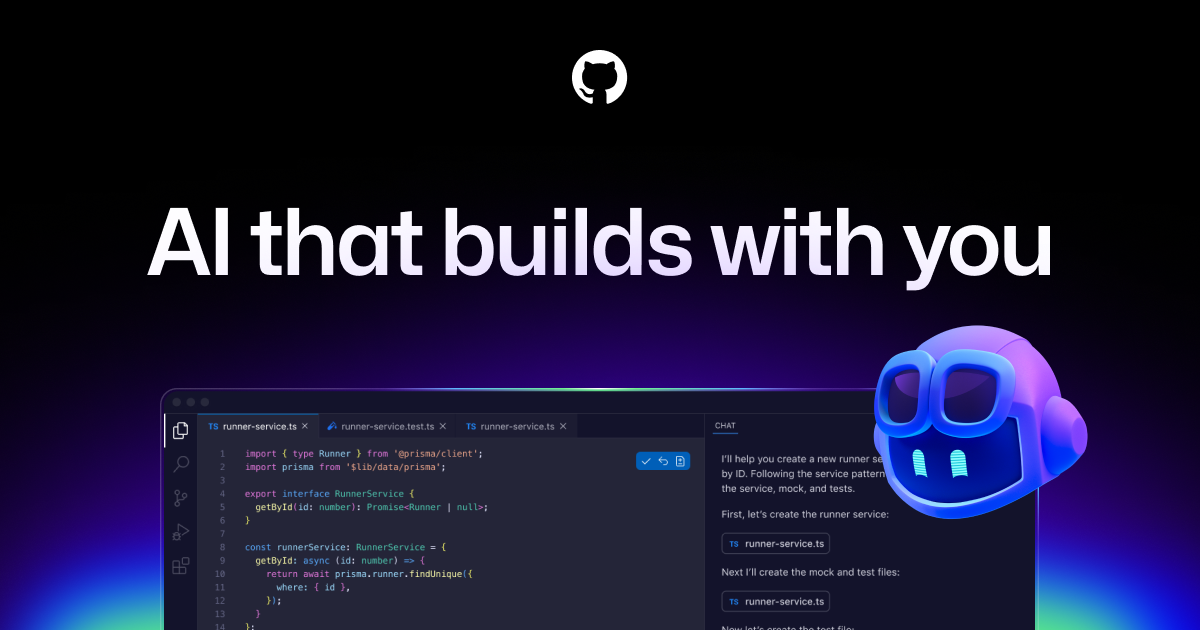
GitHub Copilot Pro at $10/month is, by a significant margin, the best value coding subscription I’ve tested this year. Agent mode reached general availability for VS Code and JetBrains in March 2026 — and the upgrade from autocomplete-only to agentic behavior matters more than I expected.
In a TypeScript codebase with ~40K lines, Copilot’s Workspace mode uses RAG to index the entire repo and surface context-aware suggestions that actually understand your existing patterns — not just the file you have open. The inline completion context window is limited to ~8K tokens, but Workspace mode compensates with codebase-wide indexing. For any project over a few dozen files, turn it on immediately. Without it, you get smart autocomplete; with it, you get something closer to a junior developer who has read your codebase.
The free tier (2,000 completions + 50 premium requests/month) is genuinely useful for hobbyists. The Pro tier ($10/month) gives you 300 premium requests, which is enough for moderate daily use. Heavy agentic sessions can exhaust that pool in a week, at which point overage billing kicks in at $0.04 per request. Three heavy coding days and your $10/month subscription cost $18 in real terms.
I want to flag the March 2026 trust incident: Copilot injected promotional “tips” into over 1.5 million pull requests, triggering significant developer backlash and documented migrations to Cursor and Claude Code. GitHub addressed it, but the incident is worth knowing about when evaluating Copilot’s judgment boundaries.
Pricing:
- Free: 2,000 completions/month, 50 premium requests
- Pro: $10/month — 300 premium requests, unlimited completions, agent mode, AI code review
- Pro+: $39/month — 1,500 premium requests, Claude Opus 4, o3 access
- Business: $19/user/month — IP indemnification, SAML SSO
- Enterprise: $39/user/month — custom models trained on your codebase
Pros:
- $10/month is half the price of most competitors with comparable capability
- Agent mode now GA in VS Code and JetBrains — not just VS Code
- Workspace mode provides genuine codebase-level context via RAG indexing
- Tight GitHub integration for PR reviews and issue resolution
- Free tier is actually useful, not a stripped teaser
Cons:
- 300 monthly premium requests depleted quickly on heavy agentic sessions
- Overage billing at $0.04/request adds unpredictable cost — three active days can double effective price
- Multi-file reasoning still lags Cursor in complex refactoring scenarios
- March 2026 PR tip injection incident damaged trust among early adopters
Get started with GitHub Copilot Pro →
For a deeper look at the coding assistant space, see Best AI Coding Assistants 2026: Copilot vs Cursor vs Claude.
Grammarly Pro — 8.1/10
Price: $12/month annual ($30/month monthly)
Best for: Professionals who write daily and want real-time correction across every tool they use
Grammarly Pro at $12/month annual earns its place not through any single dramatic feature but through invisible integration. It runs in my browser, in VS Code, in Google Docs, and in Word — everywhere I write, it is already there. No context-switching, no copy-paste workflow. That ubiquity is underrated.
The GrammarlyGO AI suite with 2,000 prompts/month covers rewriting, tone adjustment, and content generation. Two thousand sounds like plenty until you are using it for client communications and realize you burned through 400 prompts in a single proposal sprint. The monthly reset is not a deal-breaker, but it is a ceiling you will hit on heavy-use weeks.
Plagiarism detection is included, which matters if you are producing content that will go under your name. I ran several AI-assisted drafts through it before sending to clients — it caught phrasing I had borrowed from source material without noticing.
The Jakob Nielsen lens here: Grammarly scores well on visibility of system status and error prevention but struggles with user control and freedom in GrammarlyGO. You cannot easily see how many prompts you have used mid-session — the counter is buried in account settings, not surfaced where you are working. For a prompt-limited product, that is a UX misstep.
The $12/month price requires annual billing. Monthly billing at $30/month is two and a half times the price. Most users encounter the monthly rate first and don’t notice the annual option without looking for it — a visibility failure that pushes people onto the wrong pricing tier.
Pricing:
- Free: Basic grammar, 100 AI prompts/month
- Pro: $12/month (annual) / $20/month (quarterly) / $30/month (monthly)
- Business/Enterprise: Custom pricing
Pros:
- Works everywhere — browser, desktop, Word, Google Docs, VS Code
- Plagiarism detection plus AI writing in one subscription
- 2,000 monthly AI prompts covers most professional writing workloads
- Tone and reader reactions analysis genuinely useful for outgoing communications
- Solid keyboard nav and accessibility — passes basic screen reader testing
Cons:
- $12/month requires annual commitment — monthly billing is $30, a 150% premium
- GrammarlyGO suggestions get generic on technical or specialized content
- Prompt counter buried in account settings, not visible while you work
- Onboarding tour cannot be exited and revisited on demand — Nielsen user control violation
Get started with Grammarly Pro →
For a full grammar checker comparison, see Grammarly vs ProWritingAid vs LanguageTool 2026.
Google AI Pro — 7.9/10
Price: $19.99/month
Best for: Teams fully embedded in Google Workspace; researchers using NotebookLM
Google AI Pro at $19.99/month is a different kind of value proposition. The headline feature isn’t Gemini 3 Pro itself — it’s NotebookLM, the research assistant that lets you upload up to 300 sources per notebook and interrogate them with citations. I used NotebookLM to synthesize 47 user research transcripts into a structured findings report. That would have taken me two days manually; the tool returned a coherent first draft with source citations in about four minutes.
The Gemini side panel in Google Drive, Docs, Sheets, and Meet is genuinely useful if you live in those apps. It’s not transformative, but it’s present exactly where you need it — no copy-paste, no tab switching. That’s a meaningful UX improvement that Claude and ChatGPT cannot match at this price without add-ons.
One important pricing caveat: the promotional annual rate of $99.99/year ($8.33/month effective) is for new subscribers only. Renewal pricing is $199.99/year. That’s a significant renewal surprise the UI buries, and it affects the total cost of ownership calculation significantly. Set a calendar reminder before you sign up.
Pricing:
- Free: Gemini 1.5 Pro (limited), basic NotebookLM
- AI Pro: $19.99/month (or $99.99/year for new subscribers — renews at $199.99/year)
- AI Ultra: $124.99 for first 3 months — Gemini 3.1 Pro, Veo 3.1 video generation
Pros:
- NotebookLM handles 300-source synthesis with citations — nothing else at this price matches it
- Gemini panel in all Google apps eliminates context-switching for Workspace users
- 1M token context on Gemini 3 Pro handles large document analysis
- 2TB cloud storage included — may replace a separate storage subscription
- Deep Search integration with google.com/ai is quietly powerful for research workflows
Cons:
- Promotional annual pricing ($99.99/year) renews at $199.99/year — buried in fine print
- Ultra tier required for Gemini 3.1 Pro — standard Pro tier runs Gemini 3 Pro
- Value diluted for users who don’t use Google Workspace or who already have storage elsewhere
- Gemini 3 Pro lagged behind Claude Sonnet 4.6 on nuanced reasoning tasks in my testing
Get started with Google AI Pro →
Canva Pro — 7.8/10
Price: $10/month annual ($15/month monthly)
Best for: Non-designers producing visual content at volume; small teams with brand consistency requirements
Canva Pro’s Magic Studio suite — 25+ AI tools including Magic Expand, Magic Grab, Magic Write, and Magic Media — represents the most complete AI design toolkit available at this price. I used it to produce social media assets, presentation decks, and short video clips for three client projects without touching Photoshop once.
Magic Expand (generative image outpainting) and Background Remover are the workhorses. Both work reliably enough for production use. Magic Grab (move objects within a photo) worked about 70% of the time — the other 30% produced artifacts requiring manual cleanup. These aren’t beta features anymore, so the inconsistency is notable.
The monthly Magic Credits cap is the main frustration. AI generation — particularly video — burns credits faster than the interface signals. One afternoon of video experiments burned through a week’s worth of credits. Canva does not show a progress bar toward exhaustion while you work. That’s a clear visibility of system status failure — the interface violates the first of Nielsen’s usability heuristics in exactly the place where it matters most.
Pricing:
- Free: Limited templates, basic features
- Pro: $15/month or $120/year ($10/month effective)
- Teams: $20/user/month or $200/year
Pros:
- 25+ AI tools in one subscription — no separate accounts for common design tasks
- Background remover on video is genuinely impressive at this price point
- Brand Kit keeps team output consistent without constant briefing
- 100GB storage covers most small team needs
- Templates are well-designed and easy to customize for professional output
Cons:
- Magic Credits deplete faster than the UI suggests — no usage progress indicator while working
- Monthly billing at $15 is 50% higher than the annual $10/month equivalent
- Magic Grab produces artifacts ~30% of the time — not reliable for client deliverables without review
- Mobile app AI features are limited vs desktop — Magic Expand doesn’t work on mobile
For a more technical design tools comparison, see Best AI Design Tools 2026: Canva AI vs Figma AI vs Framer.
Otter.ai Pro — 7.6/10
Price: $8.33/month annual ($16.99/month monthly)
Best for: Anyone attending 5+ meetings per week who needs reliable summaries and action items
Otter.ai Pro at $8.33/month annual is the most underrated tool on this list. I averaged about 15 hours of recorded meetings per week during testing, and OtterPilot auto-joined every scheduled Zoom and Google Meet call without any setup beyond a calendar connection. It captured audio, generated summaries, and extracted action items — all without me doing anything.
The transcription quality on clear audio is strong. Where it struggles: heavy accents, multiple simultaneous speakers, and low-quality laptop microphones. I had two calls where participants were using built-in laptop speakers rather than headsets — speaker attribution was wrong for roughly 20% of those transcripts. That’s not catastrophic, but it means you shouldn’t treat Otter output as ground truth without skimming it first.
Language support is a hard constraint: American English, British English, Spanish, and French only. If your team includes speakers of German, Japanese, Mandarin, or Portuguese, Otter is not the right tool. This is a hard cutoff, not a quality degradation — the product simply does not work in those languages.
The first-day onboarding experience was one of the smoothest I tested. Connecting a Google Calendar takes about 90 seconds. OtterPilot immediately shows scheduled meetings and asks which ones to join. There’s no “getting started” labyrinth — just a clear next action.
Pricing:
- Free: 300 minutes/month, 30 minutes/conversation
- Pro: $8.33/month (annual) / $16.99/month (monthly)
- Business: $20/user/month (annual) / $30/user/month (monthly)
Pros:
- At $8.33/month annual, offers the highest time-saved-per-dollar of any tool on this list
- OtterPilot joins calls automatically — zero friction once calendar is connected
- Action item extraction is accurate enough to replace manual meeting notes for structured calls
- 1,200 minutes/month covers 15-20 hours of meetings per week
- Calendar integration setup takes under 2 minutes
Cons:
- Only 4 supported languages — a hard stop for multilingual teams
- Speaker attribution errors when audio quality is poor (built-in laptop mics, bad connections)
- Monthly billing at $16.99 is double the annual rate — annual commitment required for best value
- 90-minute per-conversation cap will interrupt long workshops or all-day sessions
Get started with Otter.ai Pro →
For a comparison with other transcription tools, see Otter.ai vs OpenAI Whisper vs Descript: 2026 Comparison.
ElevenLabs Starter — 7.2/10
Price: $5/month
Best for: Creators who need commercial-licensed narration without paying $22/month for more capacity
ElevenLabs Starter at $5/month gives you commercial usage rights, instant voice cloning from a short audio sample, and approximately 100,000 characters per month — roughly 6-7 ten-minute narrations. That sounds like enough until you actually use it on a production content schedule.
The voice quality is genuinely impressive. I cloned a test voice from a 3-minute recording and the output was convincing enough that a non-technical colleague thought it was the original speaker on first listen. The 28-language support works well for major European languages; I did not have native speakers evaluate non-European language outputs.
The character math deserves clarity: at ~15,000 characters per 10-minute narration, the Starter tier exhausts in under 7 narrations per month. If you’re producing regular podcast or YouTube content, you’ll hit the ceiling by week two. The Creator plan ($22/month) is a better fit for that volume — it just breaks the under-$20 threshold.
The interface is minimal and well-designed. No onboarding tour to navigate, no settings three levels deep to find the API key. It does one thing and surfaces the controls immediately. That should be unremarkable, but it isn’t — several tools on this list buried essential settings in ways that wasted real time.
Pricing:
- Free: 10,000 characters/month, no commercial rights
- Starter: $5/month — ~100,000 characters/month, commercial rights, API access, voice cloning
- Creator: $22/month — higher limits, advanced voice customization
Pros:
- $5/month with commercial rights is hard to beat for occasional narration
- Instant voice cloning from short samples works in practice, not just in demos
- 28+ language support expands creative options
- API access included at Starter tier
- Voice quality outperforms every standalone TTS tool I’ve tested at this price
Cons:
- ~100,000 characters/month is 6-7 ten-minute narrations — thin for regular content schedules
- No team features at Starter tier
- The Creator plan ($22/month) is the realistic choice for volume — which is over the $20 threshold
- Advanced voice customization requires jumping to higher tiers
Get started with ElevenLabs Starter →
Perplexity Pro — 6.4/10
Price: $20/month ($200/year)
Best for: Nothing I can recommend at current pricing, given the trust record
I’m giving Perplexity Pro a 6.4/10 — the lowest score on this list — not because the product is bad, but because the company has demonstrated a pattern of behavior that makes $20/month subscriptions difficult to recommend.
In November 2025, Perplexity was caught silently routing Pro subscriber queries to cheaper models — specifically Claude Haiku instead of Sonnet — while displaying the premium model name in the UI. The CEO acknowledged it as an “engineering bug.” Whether that framing is accurate or diplomatic, the effect is identical: paid users received a cheaper product than what they were shown.
Then in early 2026, Pro search allocations were cut from 600 to 200 per week and Deep Research was cut from 50 to 20 per month — with no advance notice to subscribers. Annual prepaid subscribers were auto-downgraded when they did not add a credit card on file. The Hacker News thread “900x downgrade of Perplexity Pro – anyone else hit?” (item 46914439) documented the scale of impact across the subscriber base.
The actual product when it works — multi-model access across GPT, Claude, and Gemini in one interface, plus Deep Research’s citation-backed multi-step reports — is genuinely useful. The problem is that you cannot trust which model you are actually getting, or how many queries you will have next month. At the same $20/month as Claude Pro, with a documented track record of undisclosed model substitution and unannounced quota cuts, the value proposition does not hold.
Pricing:
- Free: Limited Pro Searches
- Pro: $20/month or $200/year (~$16.67/month effective)
Pros:
- Multi-model access (GPT, Claude, Gemini, Mistral) in one interface is genuinely convenient
- Deep Research mode produces citation-backed reports when operating at full allocation
- Image and video generation included
- $5/month in API credits is a useful inclusion for developers
Cons:
- Silent model downgrading scandal (November 2025) — paid users received cheaper models labeled as premium
- Usage limits cut without notice or refund (early 2026)
- Annual subscribers auto-downgraded for not adding a credit card — punitive behavior
- Customer support rated poorly across Reddit, Discord, and Trustpilot
- Constantly shifting quotas make it impossible to plan workflows around reliably
Check current Perplexity Pro pricing →
Use Case Recommendations
Freelancers and solopreneurs: Start with Grammarly Pro ($12/month annual) if your work is writing-heavy, or GitHub Copilot Free (no cost) if you code. Add Claude Pro ($20/month) if you handle complex analysis or document-heavy client work. The $32/month Claude + Grammarly stack covers most professional solo workflows. For more tool ideas, see Best AI Tools for Freelancers 2026.
Developers: GitHub Copilot Pro at $10/month is the starting point — agent mode is now GA and the free tier is a real trial, not a stripped teaser. If you hit limits regularly, Cursor Pro at $16/month annual is the next move. For the full breakdown, see Best AI Coding Assistants 2026.
Marketing and content teams: Canva Pro ($10/month annual) plus Grammarly Pro ($12/month annual) covers visual creation and writing polish for $22/month per person. If you need voice narration, ElevenLabs Starter ($5/month) rounds out the creative stack for under $20 combined with Canva on annual billing.
Meeting-heavy teams: Otter.ai Pro at $8.33/month annual is the clear choice. If your team uses Google Meet and you’re already considering Google AI Pro, the built-in Meet summaries may make a separate Otter subscription redundant — evaluate before paying for both. See Best AI Productivity Tools 2026 for broader options.
Research-oriented users: Google AI Pro’s NotebookLM is the strongest multi-source research tool at this price point. For single-session deep reasoning on complex material, Claude Pro handles it better. These serve different research modes and are not direct substitutes.
Pricing Deep Dive
| Tool | Monthly Billing | Annual Billing | Annual Effective/Month | Free Tier | Key Limit | Overage |
|---|---|---|---|---|---|---|
| Claude Pro | $20/month | $200/year | $16.67 | Yes | Opaque — “5x Free tier”, rolling 5-hour cycle | Hard stop |
| GitHub Copilot Pro | $10/month | $10/month | $10 | Yes | 300 premium requests/month | $0.04/request |
| Grammarly Pro | $30/month | $144/year | $12 | Yes | 2,000 AI prompts/month | Hard stop |
| Google AI Pro | $19.99/month | $199.99/year ($99.99 promo) | $8.33 (promo yr 1) | No | 500 NotebookLM queries/day | Hard stop |
| Canva Pro | $15/month | $120/year | $10 | Yes | Monthly Magic Credits cap | Hard stop |
| Otter.ai Pro | $16.99/month | $100/year | $8.33 | Yes (300 min) | 1,200 min/month, 90 min/session | Hard stop |
| ElevenLabs Starter | $5/month | $5/month | $5 | Yes | ~100K chars/month | Upgrade required |
| Perplexity Pro | $20/month | $200/year | $16.67 | Yes | 200 Pro searches/week (reduced from 600) | Hard stop |
Annual billing delivers the biggest absolute savings on Grammarly ($30 vs $12/month) and meaningful savings on Canva ($15 vs $10/month) and Claude Pro ($20 vs ~$16.67/month on the $200/year plan — a 17% discount). For Otter.ai, the gap between monthly ($16.99) and annual ($8.33) is significant enough that committing annually almost always makes sense if you rely on it.
Watch for hidden costs: Copilot Pro’s $0.04/request overage, Canva’s credit depletion with no progress indicator, and Google’s renewal jump from $99.99/year promotional pricing to $199.99/year.
What I Rejected and Why
ChatGPT Plus ($20/month)
ChatGPT Plus didn’t make the shortlist for one reason: the value proposition has eroded. The free tier now includes GPT-4o access with relaxed limits, and the Plus tier running GPT-5.2 offers approximately 160 messages per 3-hour window — but the cap is dynamic, not fixed, and fluctuates based on server load. Reasoning models (o3-class) are further capped at roughly 100 messages per week for Plus users. You cannot plan workflows around limits that shift without warning. OpenAI also introduced ads on the Free and Go tiers in February 2026 (Plus remains ad-free), and image generation now runs through GPT Image 1.5 after DALL-E 3 was removed in December 2025.
The March 2026 Pentagon contract announcement triggered significant public backlash, with widely reported app uninstalls and organized opt-out campaigns. Setting aside the political dimension entirely, the reputational fallout signals a user trust gap worth monitoring. For $20/month in this category, Claude Pro delivers better context handling and more consistent output. For a direct comparison, see Claude vs ChatGPT 2026: Hands-On Test Across 12 Tasks.
Cursor Pro ($20/month, $16/month annual)
Cursor Pro has real strengths. The editor experience is polished, BugBot (launched for automated code review) is a meaningful addition, and the $29.3B valuation in March 2026 reflects genuine product conviction. But the credit-based billing system introduced in June 2025 created a trust problem I cannot overlook.
The core issue: Claude Sonnet requests cost 2x the credits of GPT requests, but the interface does not make this obvious while you work. You can burn through your fast-request allocation significantly faster depending on which model you select. Cursor’s CEO publicly apologized in a TechCrunch article titled “Cursor apologizes for unclear pricing changes that upset users” (July 2025) — which is admirable, but the billing structure that caused the confusion persists.
Additionally, Cursor ships updates frequently enough that established workflows break. An April 2026 Hacker News thread documented productivity disruptions from rapid release cycles. For a full comparison, see Cursor vs Windsurf 2026: AI Code Editors Compared.
Final Verdict
Claude Pro at $20/month is the overall winner. The combination of Claude Sonnet 4.6, the 1M token context window, and the Cowork agentic feature delivers the highest output quality I found at this price tier. The rate-limit constraints are a real annoyance — and the March 2026 drain bug was a legitimate failure — but when Claude is working, it outperforms everything else here on reasoning depth, document analysis, and long-form generation.
GitHub Copilot Pro at $10/month is the runner-up and the best value per dollar of any tool on the list. If you write code and are not already using it, the free tier gives you a no-commitment way to validate before the $10/month decision. Google AI Pro is the right pick if your work lives in Google Workspace and you want NotebookLM depth built into your existing stack — just read the renewal pricing carefully before signing up for the annual promo. And Perplexity Pro: at the same $20/month as Claude Pro, with a documented record of undisclosed model downgrades and unannounced quota cuts, the value proposition simply does not hold.
Frequently Asked Questions
Which AI tool gives the most value for $20/month?
Claude Pro delivers the best combination of reasoning quality, context depth, and agentic capability at $20/month. For developers specifically, GitHub Copilot Pro at $10/month gives higher coding-specific value per dollar. If you only have one $20 budget slot and you’re not primarily a developer, Claude Pro is the defensible choice for most knowledge workers.
Is GitHub Copilot Pro worth it over the free tier?
The free tier — 2,000 completions and 50 premium requests/month — is enough to validate the tool. The paid tier at $10/month makes sense if you hit the 50 premium request cap within two weeks, which happens quickly once you start using agent mode on real projects. Workspace mode (RAG codebase indexing) is available on the paid tier and transforms the tool from file-level autocomplete to project-aware assistance.
Does Claude Pro include Claude Code?
No. Claude Code is not included in Claude Pro. It requires the Max plan at $100/month (Expanded) or $200/month (Ultimate). Claude Pro gives you Claude Sonnet 4.6 via web and API, including the Cowork agentic feature, but not the terminal-based agentic coding environment. This is a common source of confusion when comparing Claude Pro to Cursor Pro.
What happened with Perplexity Pro’s model routing?
In November 2025, Perplexity was found routing Pro users to Claude Haiku while displaying “Claude Sonnet” in the interface. The CEO described it as an engineering bug. Separately, in early 2026, Pro search allocations were cut from 600 to 200 per week and Deep Research from 50 to 20 per month without notifying subscribers. These are two distinct failures, not a single incident — and the pattern is why the trust score is low.
Is Google AI Pro’s $99.99/year deal worth taking?
The product value is real — you get Gemini 3 Pro, NotebookLM, Google Workspace AI integration, and 2TB storage. The deal is worth taking only if you set a calendar reminder before the renewal date. The promo price of $99.99/year renews at $199.99/year, and Google does not surface this prominently during signup. If you miss the renewal window, you have significantly overpaid.
How many ElevenLabs narrations can I produce on the Starter plan?
A 10-minute narration uses approximately 15,000 characters. The Starter plan includes roughly 100,000 characters/month, which works out to 6-7 full 10-minute narrations per month. Shorter content — 2-minute explainers, intro/outro segments — will stretch the allocation further. For regular production volume, the Creator plan at $22/month is the practical next step, which is just over the $20 threshold.
Can I build a productive AI stack for under $30/month total?
Yes. A practical professional stack: Otter.ai Pro ($8.33/month annual) plus GitHub Copilot Pro ($10/month) equals $18.33/month for meeting transcription and AI coding assistance. Adding Grammarly Pro ($12/month annual) brings the total to $30.33/month across three specialized tools — still under the cost of two premium all-in-one subscriptions. Specialization at the $5–$15 tier often outperforms generalist tools at $20, particularly for professionals with well-defined workflow needs.