
Two AI-native code editors have been fighting for the same desk space for over a year now. Cursor, the VS Code fork that popularized agentic coding, and Windsurf (formerly Codeium’s editor), which launched with aggressive free-tier pricing and a “Cascade” agent that handles multi-file edits. I’ve been switching between both editors on production projects — a Next.js 14 app, a FastAPI backend, and a React Native mobile app — since January 2026.
Here’s what actually matters when you’re picking between them.
Quick Verdict
Top Pick: Cursor — More mature agentic workflows, better model selection (Claude 4.6 Sonnet, GPT-4.1, o3), and Composer mode handles multi-file refactors with fewer hallucinations. The $20/month Pro plan is the sweet spot for most developers.
Runner-Up: Windsurf — Cascade’s flow-based approach is genuinely different and sometimes faster for greenfield work. The free tier is generous enough to evaluate seriously. Worth it if you prefer guided, step-by-step AI interactions over open-ended chat.
Budget Pick: Windsurf Free — 50 Cascade actions per day and basic autocomplete cover light usage. Cursor’s free tier is more restrictive at 2,000 completions per month with limited chat.
Testing Methodology

I used both editors as my primary IDE across three active projects over a ten-week period from late January to early April 2026. Each editor ran on the same machine (M3 MacBook Pro, 36GB RAM, macOS 15.3) with identical project setups. I tested autocomplete speed by timing tab-accept latency on the same files, evaluated agentic capabilities by giving both editors identical multi-file refactoring prompts, and tracked how often I had to manually fix AI-generated code. Pricing was verified directly from each vendor’s website as of April 2026. I didn’t run synthetic benchmarks — this is about how these tools feel during a real workday, not how they perform on cherry-picked demos.
Head-to-Head Comparison
| Feature | Cursor | Windsurf | Notes |
|---|---|---|---|
| Base | VS Code fork | VS Code fork | Both support VS Code extensions |
| Starting Price | $20/month (Pro) | $15/month (Pro) | Windsurf is $5 cheaper |
| Free Plan | 2,000 completions/mo, 50 premium requests | 50 Cascade actions/day, unlimited basic completions | Windsurf free tier is more usable |
| Default AI Model | Claude 4.6 Sonnet | Windsurf’s own model + Claude/GPT options | Cursor lets you pick; Windsurf defaults to its in-house model |
| Multi-File Editing | Composer (agentic) | Cascade (flow-based) | Different paradigms, both functional |
| Context Window | Up to 200K tokens (model-dependent) | ~120K tokens claimed | Cursor handles larger codebases better |
| Tab Completion Latency | ~180-280ms (p50) | ~150-250ms (p50) | Windsurf is marginally faster |
| Rating | 8.4/10 | 7.1/10 | Cursor wins on reliability and model access |
For a broader look at how these stack up against terminal-based assistants, check our GitHub Copilot vs Cursor 2026 comparison and the full Best AI Coding Assistants roundup.
Cursor — Best for Developers Who Want Model Flexibility
Best for: mid-to-senior developers working on multi-file codebases who want to choose their own AI model
Cursor has been around since 2023 and it shows — not in a “legacy code” way, but in the sense that the rough edges have been sanded down through thousands of user bug reports. It’s a fork of VS Code, so your extensions, keybindings, and themes carry over. The first-run experience imports your VS Code settings automatically, and in my testing this took about 90 seconds with ~45 extensions.
What Cursor Gets Right
The killer feature is Composer mode — Cursor’s agentic multi-file editing system. You describe what you want in natural language, and the agent reads your codebase, plans changes across multiple files, and applies diffs that you review before accepting. I used it to refactor a 12-file authentication module from JWT to session-based auth, and it correctly identified all the files that needed changes, including test files and a middleware config I’d forgotten about.
Composer works best when you’re specific. A prompt like “refactor the auth module to use sessions instead of JWTs, update the middleware, and fix the tests” produced clean, reviewable diffs across 9 files. A vague prompt like “improve the auth” gave me a mess of unnecessary abstractions.
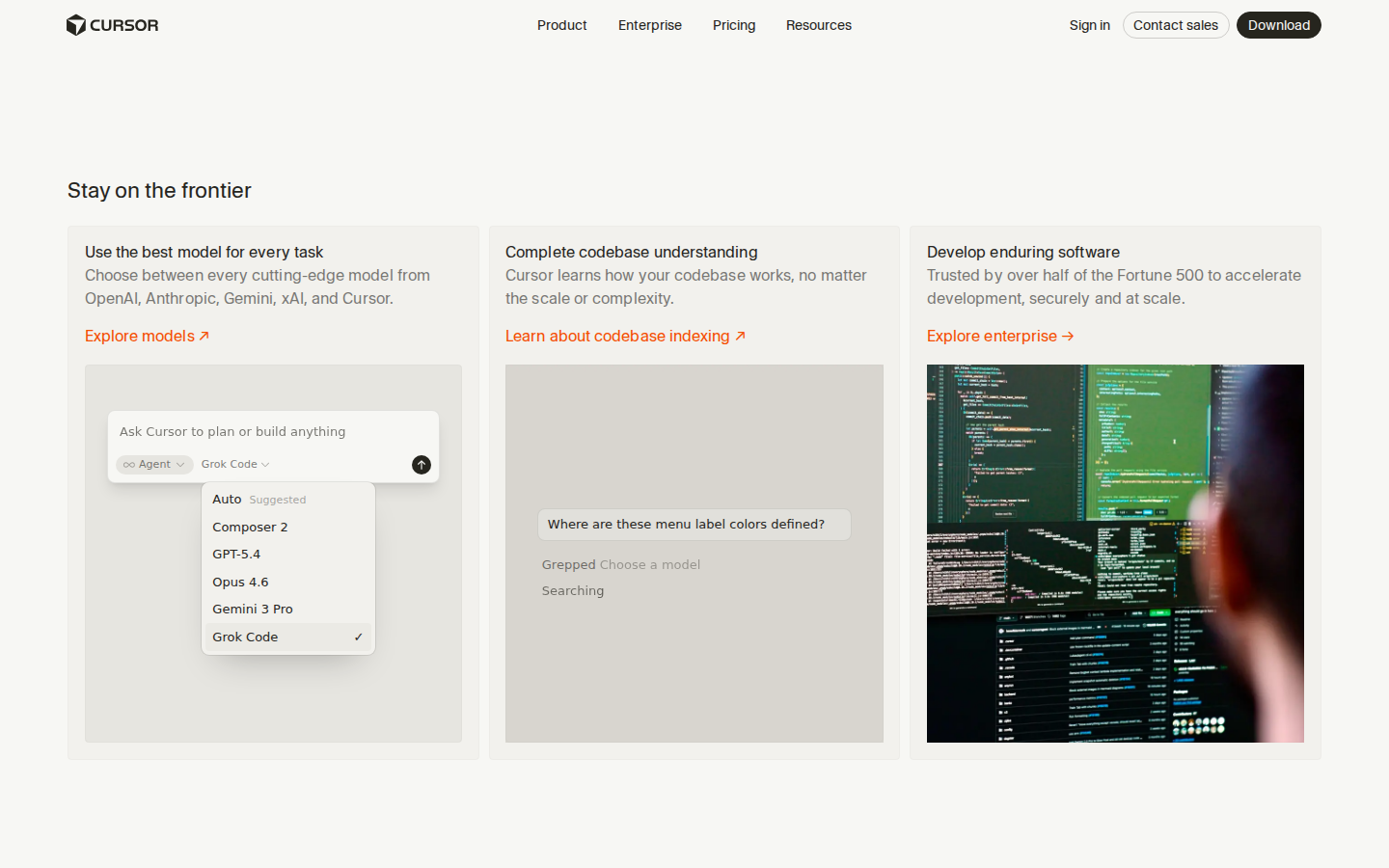
Model selection is where Cursor pulls ahead. As of April 2026, you can choose from:
- Claude 4.6 Sonnet and Claude 4.6 Opus (Anthropic)
- GPT-4.1, GPT-4o, o3, o4-mini (OpenAI)
- Gemini 2.5 Pro (Google)
- Cursor’s own fine-tuned “cursor-small” model for fast completions
This matters because different models excel at different tasks. I’ve settled on Claude 4.6 Sonnet for most coding work (strong at understanding existing codebases and writing idiomatic code) and o3 for algorithmic problems where step-by-step reasoning helps. You can even bring your own API keys if you want to bypass Cursor’s usage limits.
The inline chat (Cmd+K) is snappy — highlight code, describe what you want changed, and the diff appears in-place. Response time is typically 200-400ms for the first token on Claude 4.6 Sonnet, which is fast enough that it doesn’t break your flow.
Cursor Pricing (April 2026)
- Hobby (Free): 2,000 completions/month, 50 slow premium model requests. Enough to try it, not enough to rely on it.
- Pro ($20/month): 500 fast premium requests/month, unlimited slow requests, unlimited completions. This is the plan most people need.
- Business ($40/user/month): Admin controls, centralized billing, SSO via SAML, usage analytics. Seat minimum of 2.
- Enterprise (custom pricing): Self-hosted option, advanced audit logs, dedicated support. Typically $50-80/user/month based on volume.
The “fast” vs “slow” distinction matters: fast requests use priority compute and return in 1-3 seconds. Slow requests can take 8-15 seconds during peak hours. If you burn through your 500 fast requests mid-month, you’re stuck on slow until the cycle resets — and that’s genuinely painful during a deadline sprint.
You can add more fast requests at roughly $0.04 per request for Claude 4.6 Sonnet, which adds up fast if you’re a heavy user. A typical day for me runs 30-50 Composer interactions, meaning the Pro plan covers about 10-15 working days before I’m on slow mode.
Pros
- Model flexibility — switch between Claude, GPT, Gemini, and o3 without leaving the editor
- Composer mode handles multi-file refactors better than any competitor I’ve tested
- Full VS Code extension compatibility — every extension I use (ESLint, Prettier, GitLens, Tailwind Intellisense) works without issues
- Codebase indexing picks up project context well; references the right utility functions and follows existing patterns
- .cursorrules files let you define project-specific AI behavior — telling the AI to use your team’s conventions, preferred libraries, etc.
- Terminal integration allows running commands directly from AI suggestions, which streamlines debugging loops
Cons
- 500 fast requests per month on Pro feels tight if you’re doing heavy agentic work. I consistently run out by week 3
- The diff review UI for Composer can be overwhelming when it touches 8+ files — there’s no way to group related changes or see a summary view before diving into individual file diffs
- Memory between sessions is limited. Cursor doesn’t remember context from yesterday’s conversation. You’re re-explaining project structure in every new Composer session unless you maintain good .cursorrules files
- Extension updates sometimes lag behind VS Code by a few weeks. I hit a case where the Python debugger extension was broken for 5 days after a Cursor update
- Privacy concerns: by default, your code is sent to Cursor’s servers for indexing. The privacy mode exists but disables some features. Business plan adds more controls, but self-hosting requires Enterprise
Try Cursor Pro free for 14 days →
Windsurf — Best for Guided AI Workflows on a Budget


Best for: developers who prefer step-by-step AI collaboration and want a solid free tier
Windsurf launched in late 2024 as Codeium’s answer to Cursor, and it’s evolved significantly since. The editor itself is also a VS Code fork, so the extension compatibility story is similar. Where it diverges is philosophy: Cursor gives you an open-ended AI chat and lets you drive. Windsurf’s Cascade system is more opinionated — it breaks tasks into discrete steps, shows you its plan, and executes sequentially while asking for confirmation at key decision points.
What Windsurf Gets Right
Cascade is the headline feature, and it genuinely feels different from Cursor’s Composer. When you give it a task like “add user profile editing with avatar upload,” Cascade doesn’t just dump a bunch of diffs on you. It:
- Creates a step-by-step plan (“First I’ll create the profile form component, then the avatar upload hook, then the API route, then update the navigation”)
- Executes each step one at a time
- Shows you the result and waits for approval before continuing
- Can roll back individual steps if something goes wrong
This flow-based approach is better for junior developers and for tasks where you’re exploring unfamiliar territory. When I used Cascade to add Stripe integration to a project where I’d never used Stripe before, the step-by-step guidance was genuinely helpful — it explained what each piece did as it created it.
The autocomplete is fast. Windsurf claims sub-200ms latency and that tracks with my experience. Tab completions feel slightly snappier than Cursor’s, though the difference is marginal — maybe 20-50ms faster on average. Both are fast enough that you rarely notice the wait.
Windsurf’s free tier is meaningfully more generous than Cursor’s. You get 50 Cascade actions per day (resetting daily, not monthly) and unlimited basic autocomplete powered by Codeium’s own model. For someone doing light coding — maybe a few hours a day on a side project — this is enough to actually use the tool without paying.
Windsurf Pricing (April 2026)
- Free: 50 Cascade actions/day, unlimited basic autocomplete, Codeium base model only.
- Pro ($15/month): Unlimited Cascade actions, access to Claude 4.6 Sonnet and GPT-4.1, priority speed, advanced codebase indexing.
- Teams ($25/user/month): Centralized billing, admin dashboard, shared context settings. Minimum 3 seats.
- Enterprise (custom): SSO, audit logs, deployment options. Pricing varies.
At $15/month vs Cursor’s $20/month, Windsurf Pro is cheaper. But the model selection is narrower — as of April 2026, Pro gets you Claude 4.6 Sonnet and GPT-4.1, but not o3, not Opus, and not Gemini. If you want Claude 4.6 Opus, you need to bring your own API key, and that integration has been buggy in my experience — I hit timeout errors about 15% of the time when routing through my own Anthropic key.
Pros
- Cascade’s step-by-step approach is easier to follow and debug than Cursor’s all-at-once Composer diffs
- Best free tier among AI code editors — 50 daily Cascade actions covers light usage
- $15/month Pro plan is the cheapest paid option with premium model access
- Autocomplete latency is slightly faster than Cursor in side-by-side testing
- Supercomplete feature predicts your next edit based on recent changes — when it works, it feels like the editor is reading your mind. It correctly predicted I was about to add error handling to a sibling function after I added it to the first one
Cons
- Cascade occasionally gets stuck in loops — I’ve seen it redo the same step 3 times when it encounters a TypeScript type error it can’t resolve, burning through actions without progress. This happened about once per week in my testing
- Model selection is limited compared to Cursor. No o3 access, no Gemini, and the bring-your-own-key experience is unreliable
- Codebase indexing is noticeably weaker than Cursor’s on large projects. On a monorepo with ~2,000 files, Windsurf frequently failed to find relevant utility functions that Cursor surfaced automatically. I had to manually @-mention files more often
- The VS Code fork is a few versions behind Cursor’s fork. As of April 2026, Windsurf is based on a VS Code build from late 2025, and some newer extension APIs aren’t supported yet
- Documentation is sparse. Cursor has detailed docs and an active forum. Windsurf’s docs are thin, and when I hit the Cascade looping bug, I found no official guidance — just a Reddit thread confirming others had the same issue
GitHub Copilot (in VS Code) — The Incumbent Option
Best for: developers already embedded in the GitHub ecosystem who want autocomplete without switching editors
I’m including Copilot here because if you’re evaluating Cursor and Windsurf, you’ve probably used Copilot and are wondering if it’s worth switching. Short answer: Copilot’s autocomplete is still excellent, but its agentic capabilities lag behind both Cursor and Windsurf.
Copilot’s inline suggestions remain best-in-class for single-line and short-block completions. The model backing it (a fine-tuned variant, likely based on GPT-4o as of early 2026) is specifically optimized for code completion, and it shows. Where Copilot falls behind is multi-file editing — Copilot Chat can answer questions about your codebase, and Copilot Workspace exists for planning, but neither matches Cursor’s Composer or Windsurf’s Cascade for actually executing multi-file changes inside the editor.
Copilot Pricing
- Free (individual): 2,000 completions/month, 50 chat messages/month
- Pro ($10/month): Unlimited completions, 300 premium requests/month for GPT-4.1 and Claude 4.6 Sonnet
- Business ($19/user/month): Organization management, policy controls, IP indemnity
- Enterprise ($39/user/month): Fine-tuned models on your codebase, advanced security features
For a deep dive on Copilot specifically, see our GitHub Copilot vs Claude Code comparison and the full Copilot vs Cursor breakdown.
Pros
- Best single-line autocomplete in the business — faster and more accurate than both Cursor and Windsurf for short completions
- $10/month Pro plan is the cheapest paid option if you only need completion + chat
- No editor migration required — runs as a VS Code extension, so you keep your exact setup
- IP indemnity on Business and Enterprise — meaningful for companies worried about AI-generated code liability
Cons
- Multi-file editing is significantly behind Cursor and Windsurf. Copilot Chat can suggest changes but doesn’t apply them across files in one operation
- Can’t choose your model in most plans. You get whatever GitHub deploys. The Pro plan recently added Claude and GPT-4.1 access, but model switching is clunky
- Context awareness is weaker — Copilot doesn’t index your full codebase the way Cursor does. It relies on open files and a limited set of related files
- Workspace feature (for multi-file planning) is separate from the main editor flow and feels disconnected
Rating: 6.8/10 for agentic coding capabilities. Still a solid 8.5/10 for pure autocomplete.
Claude Code — The Terminal-First Alternative
Best for: experienced developers comfortable in the terminal who want maximum context window and agentic power
Claude Code isn’t a GUI editor — it’s a terminal-based AI coding agent from Anthropic that operates on your files directly. I’m mentioning it because if you’re evaluating AI code editors, you should know that the terminal-first approach has become a legitimate alternative, not just a novelty.
Claude Code runs Claude 4.6 Sonnet or Opus directly, with the full context window (up to 200K tokens). It reads your project, understands the structure, and makes changes across files. The experience is closer to pair programming with a senior dev sitting next to you in the terminal than using an autocomplete tool.
Pricing: Requires a Claude Pro ($20/month) or Max ($100/month) subscription, or you can use your own API key. API usage on Opus runs roughly $15 input / $75 output per million tokens, so a heavy day of agentic coding can cost $5-15 in API fees. See our GitHub Copilot vs Claude Code deep dive for the full breakdown.
Rating: 7.6/10 — powerful but the terminal UX isn’t for everyone, and API costs add up fast on Opus.
Use Case Recommendations
Best for Freelancers and Solopreneurs
Cursor Pro ($20/month) — The model flexibility means you’re not locked into one provider’s strengths and weaknesses. When Claude is down (it happened twice during my testing period), you switch to GPT-4.1 and keep working. For freelancers juggling multiple client codebases, Cursor’s project-level .cursorrules files let you define different conventions per project. If you’re already using other AI tools to run your freelance business, Cursor fits naturally into that stack.
Best for Enterprise Teams
Cursor Business ($40/user/month) — SSO, centralized billing, and admin controls are table stakes for enterprise. Cursor’s Business plan includes all of these plus usage analytics so engineering managers can track adoption. The privacy mode and self-hosted option (Enterprise tier) address compliance requirements. Windsurf’s Teams plan is cheaper at $25/user/month but lacks SSO at that tier.
Best Budget Option
Windsurf Free — If you’re a student, hobbyist, or just testing the AI-editor waters, Windsurf’s free tier with 50 daily Cascade actions is the best deal available. You won’t get premium models, but Codeium’s base model handles standard autocomplete and simple multi-file edits adequately.
Best for Full-Stack Web Development
Cursor Pro — Full-stack work means bouncing between TypeScript, Python, SQL, CSS, and config files constantly. Cursor’s codebase indexing handles this well, and Composer understands how a change to an API route affects the frontend component that calls it. Windsurf’s Cascade can do this too, but its indexing missed cross-file dependencies more often in my testing.
Best for Data Science and ML
Windsurf Pro ($15/month) — An edge case where Windsurf’s step-by-step Cascade approach shines. Exploratory data work benefits from the guided flow, and Windsurf handles Jupyter notebook cells better than Cursor does (Cursor’s notebook support has been buggy since the January 2026 update). If you’re also using AI data analytics tools, Windsurf’s notebook integration complements those nicely.
Best for Terminal-Native Developers
Claude Code — If you live in tmux/neovim and the idea of opening an Electron app makes you twitch, Claude Code is your answer. It’s the most powerful agentic AI coding tool available, with the largest effective context window, but it requires comfort with command-line workflows.
Pricing Comparison Deep Dive
| Plan | Cursor | Windsurf | GitHub Copilot |
|---|---|---|---|
| Free | 2,000 completions/mo, 50 premium requests | 50 Cascade/day, unlimited basic complete | 2,000 completions/mo, 50 chat msgs |
| Individual Pro | $20/mo | $15/mo | $10/mo |
| Pro Annual | $192/yr ($16/mo) | $144/yr ($12/mo) | $100/yr ($8.33/mo) |
| Team/Business | $40/user/mo | $25/user/mo | $19/user/mo |
| Enterprise | ~$50-80/user/mo | Custom | $39/user/mo |
| Premium Models | Claude 4.6, GPT-4.1, o3, Gemini 2.5 | Claude 4.6, GPT-4.1 | GPT-4.1, Claude 4.6 (limited) |
| BYOK (Own API Key) | Yes, works well | Yes, unreliable with some models | No |
| Fast Request Limit (Pro) | 500/month | Unlimited (with speed tiers) | 300/month |
| Overage Cost | ~$0.04/request | No overages, speed throttled | No overages, hard cutoff |
Hidden Costs to Watch
Cursor: The 500 fast request limit is the real gate. If you exceed it, you’re on “slow” mode which adds 5-12 seconds per request. For heavy users, the effective cost is closer to $35-50/month when buying additional fast requests.
Windsurf: No hard request caps on Pro, but speed degrades during peak hours (US business hours, typically 10am-3pm ET). During one Thursday afternoon, Cascade responses went from ~2 seconds to ~8 seconds. Not a hard cap, but annoying.
Copilot: The 300 premium request limit on Pro is tight. Once you hit it, you’re downgraded to the base model for the rest of the month — no option to buy more.
API key costs: If you’re using your own keys for Anthropic or OpenAI through either editor, budget for it separately. Claude 4.6 Sonnet runs $3/$15 per million tokens (input/output) and a typical Composer/Cascade session consumes 10-30K tokens. A heavy day of 40 sessions could cost $3-8 in raw API fees on top of your subscription.
Real-World Performance: Side-by-Side Tests

I ran both editors through identical tasks on the same codebase to compare. Here’s what I found:
Task 1: Add Authentication to an Express API
Prompt given to both: “Add JWT authentication to this Express API. Create auth middleware, login/register routes, and protect the existing /api/users and /api/posts routes. Use bcrypt for password hashing. Add appropriate TypeScript types.”
Cursor (Composer, Claude 4.6 Sonnet): Generated 6 files in one batch — middleware, routes, types, and updated the existing route files. Took ~18 seconds total. The code was clean, used proper TypeScript types, and correctly imported from existing utility files. One issue: it created a hardcoded JWT secret instead of reading from env. I caught it in review.
Windsurf (Cascade, Claude 4.6 Sonnet): Presented a 5-step plan, then executed each step with confirmation. Total time: ~45 seconds including my confirmations. The code quality was comparable, and Cascade actually caught the env variable issue itself in step 3, creating a proper config setup. However, it missed updating one of the two existing route files — I had to manually prompt it to fix /api/posts.
Task 2: Debug a Race Condition
I had a real bug: a React component was double-fetching data on mount due to a stale closure in a useEffect cleanup function.
Cursor: I highlighted the component, hit Cmd+K, described the symptom. It identified the stale closure, explained why it happened, and suggested the fix — all in one inline response. ~4 seconds. Fix was correct.
Windsurf: Same flow. Cascade also identified the issue correctly but took ~8 seconds and the explanation was longer and more tutorial-like. Fine for learning, slower for a quick fix.
Task 3: Refactor a 2,000-Line File
This was the stress test — breaking a monolithic React component into smaller ones.
Cursor: Composer handled it in one pass, creating 7 new component files, a shared types file, and updating the original. The result compiled and all existing tests passed. The only issue was that it extracted one component too aggressively, pulling out a section that really should have stayed inline for readability. Total time: ~35 seconds.
Windsurf: Cascade proposed an 8-step plan. Steps 1-5 went fine. Step 6 hit a TypeScript error from a missing import, and Cascade entered the loop bug I mentioned — it tried to fix the import, introduced a new error, tried to fix that, introduced another error. I had to cancel and manually fix the import, then restart Cascade for the remaining steps. Total time: ~4 minutes including the failed loop.
This is where Cursor’s advantage becomes clear on larger tasks. Composer’s batch approach means it resolves cross-file dependencies in one pass. Cascade’s sequential approach can compound errors across steps.
Configuration Tips for Both Editors
Both editors support project-level AI configuration that significantly improves output quality. Here’s what I use:
Cursor (.cursorrules)
You are working on a Next.js 14 app with TypeScript strict mode.
Use the app router, not pages router.
Follow existing patterns in src/lib/ for utility functions.
All API routes use zod validation — check src/lib/validators for existing schemas.
Prefer server components. Only use 'use client' when interactivity is required.
Do not add comments explaining obvious code.
This file lives in your project root and Cursor reads it automatically for every AI interaction. The specificity matters — telling it about zod validators reduced hallucinated validation code significantly.
Windsurf (windsurf.config)
Windsurf uses a similar config file, though the syntax differs slightly and the documentation on supported directives is incomplete. The basics work:
{
  "project_context": "Next.js 14 TypeScript app with app router",
  "coding_style": "Follow existing patterns. Minimal comments.",
  "preferred_libraries": ["zod", "tanstack-query", "tailwindcss"]
}
Honest caveat: I found Windsurf’s config support less reliable than Cursor’s. It occasionally ignored directives, particularly around coding style preferences, in about 1 out of 5 Cascade sessions.
Context Window Management
Both editors claim large context windows, but actual performance at capacity differs.
Cursor with Claude 4.6 Sonnet gives you access to a 200K token context window. In practice, Cursor’s codebase indexing is smart about what it includes — it doesn’t dump your entire project into the context. On my ~2,000-file monorepo, Composer typically uses 15-40K tokens per session, pulling in only relevant files. When I forced larger context (by @-mentioning 20+ files), quality stayed consistent up to about 120K tokens, then I noticed the model starting to miss details from files mentioned earlier in the context. This is a known issue with long-context performance — models technically support 200K but attention degrades.
Windsurf’s context handling is less transparent. The editor doesn’t show you how many tokens it’s using, and there’s no way to manually control what’s included. On the same monorepo, Cascade sometimes pulled in irrelevant files (test fixtures, old migration files) while missing directly relevant utilities. This is where the weaker codebase indexing shows up.
For both editors, a key prompt engineering pattern that improved results: start with a brief project architecture summary in your first message. Something like “This is a Next.js app with auth in src/lib/auth, API routes in src/app/api, and shared types in src/types” gives the AI a map before it starts navigating. This reduced irrelevant file inclusions noticeably in both editors.
What About Hardware?
Both editors are Electron apps and both are hungry. On my M3 MacBook Pro with 36GB RAM, each editor typically consumes 800MB-1.5GB of RAM with a medium-sized project open. Cursor is slightly heavier, likely due to its more aggressive codebase indexing.
If you’re running an older machine with 8-16GB RAM, you’ll feel it. The editors themselves are responsive, but when you add a browser, Docker, and a dev server, things get tight. I’d recommend 16GB RAM minimum for comfortable daily use, 32GB+ if you’re running containers alongside.
If you’re in the market for a machine that handles AI-assisted development without thermal throttling, the MacBook Pro M3 with 36GB has been my workhorse. The 18GB base model works too but you’ll notice swap usage during heavy Cascade sessions.
Verdict: Cursor Wins, But Windsurf Is Closing the Gap
Cursor (8.4/10) is the better AI code editor for most developers in April 2026. The model flexibility, stronger codebase indexing, and more reliable multi-file editing make it the safer bet. If you’re doing serious production work and can afford $20/month, start here.
Windsurf (7.1/10) is a credible alternative with genuine strengths — the free tier, the guided Cascade flow, and the $15/month Pro plan make it attractive for budget-conscious developers and those who prefer step-by-step AI interaction. The Cascade looping bug and weaker indexing hold it back from the top spot.
GitHub Copilot (6.8/10 for agentic, 8.5/10 for autocomplete) remains the best pure autocomplete experience, but if you want agentic multi-file editing, you need Cursor or Windsurf.
My recommendation: Try Windsurf Free first to see if the AI-editor workflow clicks for you. If it does and you want more power, move to Cursor Pro. If you’re already productive with Copilot and just want better autocomplete, stay where you are — the grass isn’t dramatically greener.
For the broader picture on AI coding tools, including terminal-based options and how they all stack up, read our comprehensive AI coding assistants comparison. And if you’re building your overall productivity stack with AI tools, both of these editors integrate well with the automation tools covered there.
Frequently Asked Questions
Is Cursor worth $20/month over Windsurf’s $15/month?
For most professional developers, yes. The $5 difference gets you access to more AI models (o3, Gemini 2.5 Pro, Claude 4.6 Opus), better codebase indexing on large projects, and more reliable multi-file editing. If you only work on small projects or prefer the step-by-step Cascade approach, Windsurf Pro is fine at $15/month.
Can I use my own API keys in Cursor and Windsurf?
Cursor supports bring-your-own-key for OpenAI, Anthropic, and Google AI. It works reliably and is a good option if you exceed the 500 fast request monthly limit. Windsurf also supports BYOK, but in my testing, requests routed through personal API keys had a roughly 15% timeout rate with Claude 4.6 models — making the experience inconsistent.
Do Cursor and Windsurf work with all VS Code extensions?
Both are VS Code forks and support most extensions from the marketplace. In practice, about 95% of popular extensions work fine in both. I’ve had issues with the Python debugger extension in Cursor after a version update (resolved in 5 days) and with the Vim extension in Windsurf occasionally conflicting with Cascade keyboard shortcuts. Extensions that rely on bleeding-edge VS Code APIs may lag behind slightly in both editors.
Which AI code editor is best for Python development?
Cursor has a slight edge for Python work due to better type inference integration and more reliable import resolution in Composer mode. Windsurf handles Python autocomplete well but Cascade sometimes struggles with complex Python projects that have deep import chains and dynamic typing. Both editors support Python virtual environments, pytest integration, and Jupyter notebooks, though Cursor’s notebook support has been buggier since early 2026.
Can Windsurf’s free tier replace a paid AI coding tool?
For light usage — a few hours of coding per day, mainly autocomplete with occasional multi-file edits — Windsurf Free is genuinely usable. The 50 daily Cascade actions reset each day, so you won’t hit a monthly wall. The limitation is model quality: you’re restricted to Codeium’s base model, which produces noticeably lower quality code on complex tasks compared to Claude 4.6 Sonnet or GPT-4.1. For professional daily-driver use, you’ll want to upgrade within a few weeks.
How do Cursor and Windsurf handle code privacy?
Cursor sends code to its servers for indexing and AI processing by default. A privacy mode exists that limits data retention, but it disables some features like codebase-wide search. The Business plan adds SOC 2 compliance and admin-controlled privacy settings. Windsurf similarly processes code server-side, with a privacy toggle in settings. Neither editor offers a fully local/offline mode on individual plans — you need Enterprise tier for self-hosted deployment in both cases.
Should I switch from GitHub Copilot to Cursor or Windsurf?
If you primarily use autocomplete and occasionally ask the AI questions, Copilot at $10/month is still the best value. Switch to Cursor or Windsurf if you want agentic multi-file editing — the ability to describe a task and have the AI execute changes across your entire project. That’s the capability gap. If you’ve ever wished Copilot could “just refactor this whole feature for me,” that’s exactly what Composer and Cascade do, and Copilot doesn’t match them there yet.
Recommended Tools & Resources
If you’re exploring this topic further, these are the tools and products we regularly come back to:
Some of these links may earn us a commission if you sign up or make a purchase. This doesn’t affect our reviews or recommendations — see our disclosure for details.