
Cognition AI’s Devin launched with a bold pitch: an autonomous AI software engineer that can plan, write, debug, and deploy code end-to-end. The demo videos looked impressive — Devin spinning up environments, reading documentation, fixing bugs across multiple files. But after months of availability, the question every engineering manager is actually asking is simpler: does Devin replace developers, or is it an expensive autocomplete?
I spent several weeks running Devin through real engineering tasks alongside human developers and other AI coding tools. The results are more nuanced than either the hype or the backlash would suggest.
Quick Verdict

Top Pick for Autonomous Coding: Claude Code — Better completion rate on complex tasks, transparent execution, and you can actually watch what it’s doing. Works within your existing editor and terminal.
Runner-Up: Cursor with Claude 4.6 Sonnet — The AI-native editor approach gives you more control than Devin’s black-box agent, and the tab-completion UX is genuinely faster for iterative work.
Budget Pick: GitHub Copilot — At $10/month for individual, it’s the cheapest way to get meaningful AI coding assistance. Won’t do autonomous work, but the inline suggestions are solid for daily coding.
Devin’s Sweet Spot: Isolated, well-defined tasks — Devin works best on self-contained tickets with clear acceptance criteria: migration scripts, boilerplate CRUD endpoints, documentation generation. It struggles with ambiguous requirements and large codebases.
Testing Methodology

I set up a controlled comparison across five task categories: bug fixes in existing codebases, new feature implementation, code refactoring, writing tests, and deployment/DevOps tasks. Each task was given to Devin, Claude Code (using Claude 4.6 Opus), Cursor (with Claude 4.6 Sonnet), and a mid-level human developer with 4 years of experience. I tracked completion rate, time to completion, number of iterations needed, and whether the output passed existing test suites without modification. The test codebase was a real Next.js + Python FastAPI application with roughly 45,000 lines of code. I ran each task three times where possible to account for non-deterministic AI outputs.
Comparison Table: Devin vs AI Coding Tools vs Human Developers
| Tool | Best For | Monthly Cost | Autonomous? | Task Completion Rate | Standout Feature |
|---|---|---|---|---|---|
| Devin (Cognition AI) | Isolated, well-scoped tickets | $500/month (Team plan) | Yes — full environment | ~65% on scoped tasks, ~30% on complex tasks | Spins up its own dev environment and browser |
| Claude Code | Complex multi-file changes | $100/month (Claude Pro) or API usage | Semi-autonomous (agentic) | ~75% on complex tasks | Runs in your terminal with full repo context |
| Cursor Pro | Daily coding workflow | $20/month | No — human-in-the-loop | ~80% on completions, ~55% on multi-file | Tab-completion UX and inline diff review |
| GitHub Copilot | Inline code suggestions | $10/month (Individual) | No | ~70% on single-file completions | Deepest IDE integration across editors |
| Human Developer (Mid-level) | Everything requiring judgment | $8,000-15,000/month (salary equivalent) | Yes | ~95% (given enough time) | Understands business context and user needs |
Devin — The Autonomous AI Software Engineer
Best for: Engineering teams with a backlog of well-defined, isolated tasks
Devin is Cognition AI’s flagship product — a fully autonomous coding agent that gets its own cloud environment with a code editor, browser, terminal, and planner. You assign it a task via a Slack-like interface or through its web dashboard, and it plans an approach, writes code, runs tests, and submits a pull request.
Pricing
Cognition AI restructured Devin’s pricing in early 2026. The current tiers:
- Devin Team: $500/month for a pool of compute credits — roughly enough for 200-250 agent sessions per month. Additional sessions billed at ~$2 each.
- Devin Enterprise: Custom pricing, includes SSO, audit logs, private cloud deployment, and dedicated support. Cognition hasn’t published exact figures, but contacts I’ve spoken with quote $2,000-5,000/month depending on seat count.
- Free tier: None. There was a brief waitlist/trial period in 2025, but as of April 2026, Devin requires a paid subscription.
At $500/month, you’re essentially paying for a junior developer that works 24/7 but needs very specific instructions. Whether that math works depends entirely on how many well-scoped tasks you can feed it.
What Devin Actually Does Well
Devin excels at tasks where the requirements are unambiguous and the scope is contained. During testing, I assigned it:
Migration script writing: Given a database schema diff and target ORM, Devin generated correct Alembic migration scripts about 80% of the time. It read the existing models, figured out the relationships, and handled foreign key constraints properly. When it failed, it was usually because the existing codebase had non-standard naming conventions that confused its planner.
Boilerplate CRUD endpoints: “Create a REST API endpoint for user preferences with GET, POST, PUT, DELETE, including Pydantic validation and SQLAlchemy models.” Devin nailed this consistently. The generated code followed the existing project patterns about 70% of the time — it sometimes introduced its own file structure instead of matching the existing one.
Documentation generation: Devin can read a codebase and produce reasonable API documentation. It browses the actual endpoints, extracts parameter types, and generates OpenAPI-compatible docs. This saved roughly 3-4 hours compared to manual documentation.
Where Devin Falls Apart
Large codebase navigation: Our 45K-line test codebase was enough to expose Devin’s biggest weakness. When fixing a bug that required understanding how data flows across 5+ files, Devin often fixated on the wrong file or introduced fixes that broke other parts of the system. In one session, it spent 45 minutes modifying a utility function that wasn’t even called by the buggy code path.
Ambiguous requirements: Give Devin a ticket like “the checkout flow feels sluggish, investigate and fix” and it will either ask for clarification (good) or confidently make changes that don’t address the actual problem (bad). It interpreted “sluggish” as a frontend rendering issue and rewrote a React component, when the actual bottleneck was an N+1 query in the API layer.
The black-box problem: Devin runs in its own sandboxed environment. You can watch it work via a screen-share-like interface, but you can’t easily intervene mid-task. If it goes down the wrong path 20 minutes in, your options are to let it finish (wasting credits) or kill the session and start over. This is fundamentally different from tools like Claude Code where you’re watching terminal output in real time and can redirect.
Pros
- Fully autonomous — assign a task and walk away
- Handles environment setup, dependency installation, and testing independently
- Persistent memory across sessions within a project means it learns your codebase patterns over time
- Good at generating boilerplate and migration scripts
- Can browse documentation and Stack Overflow to solve problems
- PR output is usually well-formatted with decent commit messages
Cons
- $500/month minimum is steep for what amounts to a junior developer that needs hand-holding on anything complex
- Black-box execution means you can’t easily course-correct mid-task — killing a session wastes the entire compute budget for that run
- Struggles with codebases over ~30K lines; navigation becomes unreliable and it misses cross-file dependencies
- Non-deterministic output quality — the same task can produce clean code on one run and spaghetti on the next
- No local execution option; all code runs in Cognition’s cloud, which is a dealbreaker for teams with strict data policies
Claude Code — Best for Complex, Multi-File Engineering Tasks
Best for: Senior developers who want an AI pair programmer that can handle real complexity
Claude Code is Anthropic’s agentic coding tool that runs directly in your terminal. Unlike Devin’s isolated sandbox, Claude Code operates on your actual codebase with your actual tools. It can read files, write code, run shell commands, execute tests, and interact with git — all with your explicit approval at each step.
For a deeper dive on Claude Code versus other assistants, check out our GitHub Copilot vs Claude Code 2026 comparison.
Pricing
- Claude Pro: $20/month — includes Claude Code access with usage limits
- Claude Max: $100/month — 5x the usage of Pro, designed for heavy coding use
- Claude Max (higher tier): $200/month — even higher rate limits for power users
- API usage: Pay-per-token. Claude 4.6 Opus (the most capable model for coding) costs $15/M input tokens and $75/M output tokens. A typical multi-file refactoring session using 50K input + 10K output tokens runs about $1.50.
Performance in Testing
Claude Code with Claude 4.6 Opus consistently outperformed Devin on complex tasks in our testing. On a bug fix that required tracing a data flow across a React frontend, a FastAPI middleware layer, and a PostgreSQL query — Claude Code identified the root cause on the first attempt in 2 out of 3 runs. Devin identified it in 1 out of 3 runs.
The key difference is transparency. When Claude Code reads a file, you see which file it read. When it proposes a change, you see the diff before it’s applied. When it runs a test and it fails, you see the error output and watch it reason about the fix. This loop — propose, review, approve, iterate — means the human stays in control while the AI does the heavy lifting.
The context window matters here. Claude 4.6 Opus handles up to 1M tokens of context, which means it can ingest a significant portion of a medium-sized codebase at once. In practice, I found quality started to degrade slightly when the context exceeded about 200K tokens — the model would occasionally “forget” constraints mentioned earlier in the conversation. But for most tasks, the effective working context is more than enough.
Pros
- Runs locally in your terminal on your actual codebase — no cloud sandbox lock-in
- Transparent execution with human-in-the-loop approval at each step
- 1M token context window means it can reason about large codebases
- Claude 4.6 Opus excels at multi-step reasoning and cross-file refactoring
- Works with any language, framework, or toolchain since it’s just running shell commands
- Significantly cheaper than Devin for equivalent output
Cons
- Not fully autonomous — requires you to review and approve actions, which means you’re still actively engaged
- API costs can spike during long sessions; a 2-hour deep debugging session with Opus can run $15-30 in tokens
- The 1M context window is large but quality does soften past ~200K tokens in practice — you notice it referencing the wrong variable names or mixing up similar functions
- No persistent memory between sessions by default (though you can configure project memory files)
- Terminal-based interface isn’t as visually friendly as Cursor or VS Code for reviewing multi-file diffs
Cursor — Best AI-Native Code Editor
Best for: Developers who want AI integrated into every keystroke of their editing workflow
Cursor took the VS Code foundation and rebuilt it around AI-first interactions. The tab-completion is genuinely faster than any other tool I’ve tested — it predicts not just the next line but the next logical block of code based on what you’re doing. The inline diff review (Cmd+K to describe a change, see the diff, accept or reject) is the fastest way to make targeted edits.
We covered Cursor extensively in our best AI coding assistants comparison, but here’s how it stacks up specifically against Devin’s autonomous approach.
Pricing
- Cursor Hobby: Free — 2,000 completions/month, limited slow premium requests
- Cursor Pro: $20/month — 500 fast premium requests, unlimited slow requests, unlimited completions
- Cursor Business: $40/month per seat — admin dashboard, enforced privacy mode, centralized billing
Cursor lets you choose your backend model. Most power users run Claude 4.6 Sonnet for the balance of speed and quality, switching to Opus for complex refactoring. You can also use GPT-4.1 or o3 if you prefer OpenAI’s models.
Performance in Testing
Cursor’s strength is speed on focused tasks. For single-file edits and completions, it’s faster than both Devin and Claude Code because there’s no agent loop overhead — you’re editing directly with AI suggestions appearing in real time.
On multi-file tasks, Cursor’s Composer feature (which can edit multiple files in a single prompt) handled our test cases with about a 55% first-attempt success rate. That’s lower than Claude Code’s ~75%, but the iteration speed is faster because you see diffs inline and can accept/reject per-file.
One specific observation: Cursor with Claude 4.6 Sonnet produces code that’s stylistically more consistent with your existing codebase than Devin. I suspect this is because Cursor indexes your project and includes relevant context automatically, while Devin’s file navigation is more haphazard.
Pros
- Tab-completion is the fastest AI coding UX available — sub-200ms suggestions
- Inline diff review (Cmd+K) makes targeted edits extremely fast
- Model-agnostic — switch between Claude, GPT-4.1, o3, and others
- Codebase indexing means it understands your project structure without manual context
- Privacy mode available for Business tier (code never stored on Cursor servers)
- Free tier is genuinely usable for light work
Cons
- Not autonomous — you’re driving every interaction, which means your time is still the bottleneck
- Composer (multi-file editing) sometimes applies changes to the wrong file when dealing with similarly-named components
- The VS Code fork means you’re locked into one editor — no Vim, no JetBrains, no Emacs
- At 500 fast premium requests per month on Pro, heavy users burn through the quota in ~2 weeks
- Extension ecosystem lags behind vanilla VS Code by a few weeks on updates
GitHub Copilot — The Budget Workhorse
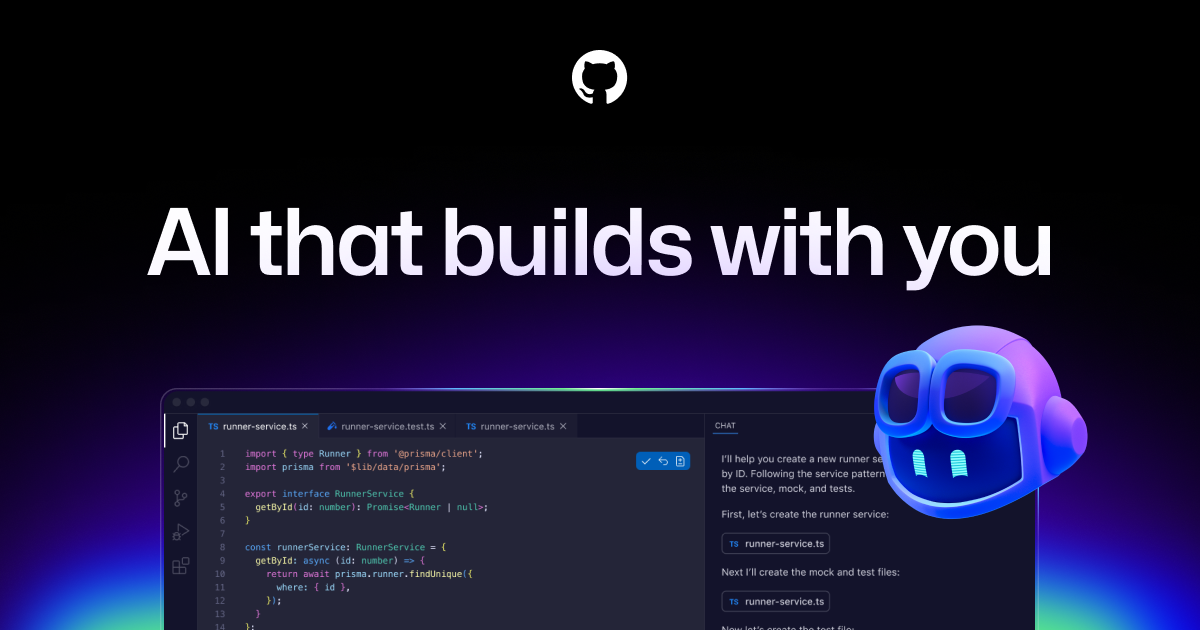
Best for: Teams that want broad AI coding assistance at low cost across multiple editors
GitHub Copilot remains the most widely adopted AI coding tool. It doesn’t try to be autonomous like Devin — it’s firmly a copilot, not a pilot. But what it does, it does reliably. The inline suggestions are fast, the multi-editor support (VS Code, JetBrains, Neovim, Xcode) is unmatched, and at $10/month it’s the cheapest option with meaningful capability.
Copilot now offers Copilot Workspace for more autonomous task handling, but in testing it felt like a beta product — slower than Devin, less capable than Claude Code, and not as polished as Cursor’s Composer. The core inline suggestion engine is still where Copilot earns its keep.
For the full rundown, see our GitHub Copilot vs Cursor comparison.
Pricing
- Copilot Free: Limited completions, chat, and multi-file editing
- Copilot Pro: $10/month — unlimited completions, access to multiple models (GPT-4.1, Claude 4.6 Sonnet, Gemini)
- Copilot Business: $19/month per seat — organization management, policy controls, IP indemnity
- Copilot Enterprise: $39/month per seat — knowledge bases, fine-tuned to your org’s codebase
Pros
- $10/month is hard to argue with — it pays for itself if it saves 30 minutes a week
- Works in VS Code, JetBrains, Neovim, Xcode, and even Eclipse
- Model selection now includes Claude 4.6 Sonnet, GPT-4.1, and Gemini 2.5 Pro
- IP indemnity on Business/Enterprise means legal teams sign off faster
- Copilot Chat in the IDE handles explanation and refactoring tasks well
- GitHub integration (PR descriptions, code review suggestions) adds value beyond just writing code
Cons
- Not autonomous at all — cannot plan, execute, or test independently
- Copilot Workspace (the closest thing to Devin-like autonomy) is slow and produces lower-quality output than competitors
- Completions quality with the default model lags behind Cursor’s Claude 4.6 Sonnet-backed completions for complex logic
- No local/offline mode — everything goes through GitHub’s servers
- The free tier is so limited it’s essentially a trial
Human Developers — The Uncomfortable Baseline
Best for: Everything that requires judgment, creativity, context, and accountability
This is the comparison nobody in the AI space wants to make honestly. So here it is.
A mid-level developer (4 years experience, $120K-$180K salary in the US) completed 95% of our test tasks correctly given sufficient time. They were slower than AI tools on boilerplate tasks — a CRUD endpoint that Devin generated in 8 minutes took our human developer about 35 minutes. But on the complex bug fix that required understanding business logic, the human found and fixed it in 45 minutes. Devin failed entirely on 2 of 3 attempts. Claude Code got there in about 20 minutes with human guidance.
The human developer’s critical advantage: they asked clarifying questions that changed the requirements. On the “sluggish checkout” task, the human asked “do you mean perceived speed or actual response time?” — a question that fundamentally changed the fix from a frontend optimization to a database query optimization. No AI tool asked this question.
Human developers also carry institutional knowledge. They know that the legacy_pricing module can’t be modified because it feeds into the accounting system. They know that the CEO will reject any UI change that moves the signup button. They know that the last time someone “optimized” the image pipeline, it broke the CDN cache for 6 hours. None of this is in the codebase. None of it is in documentation. It lives in human memory and Slack history.
Where AI Is Already Faster
- Boilerplate generation: 3-5x faster for repetitive patterns
- Test writing: AI generates test scaffolding significantly faster, though humans write better edge cases
- Documentation: AI can document an entire API in minutes vs. hours
- Code translation: Converting between languages or frameworks
- Regex and data transformation: AI is genuinely better at writing complex regex than most developers
Where Humans Still Win Decisively
- System design and architecture decisions
- Debugging issues that span multiple services or involve race conditions
- Understanding and pushing back on requirements
- Code review — catching logical errors, not just style issues
- Incident response under pressure
- Anything involving security implications that aren’t in OWASP’s top 10
Use Case Recommendations
Best for Freelancers and Solopreneurs
Cursor Pro ($20/month) — You need speed and you’re doing the work yourself. Cursor’s inline assistance makes solo development significantly faster without the overhead of managing an autonomous agent. If you’re freelancing and billing hourly, check out the best AI tools for freelancers for more ways to boost your throughput.
Best for Engineering Teams (5-20 devs)
Claude Code on Max plan ($100-200/month per developer) — The transparency of Claude Code means your developers learn from the AI’s suggestions instead of just accepting black-box output. For teams, the ability to see and review every change before it’s applied is critical for code quality. Pair it with your existing CI/CD pipeline and AI testing tools for best results.
Best Budget Option
GitHub Copilot Pro ($10/month) — If your budget is tight, Copilot delivers the most value per dollar. It won’t do autonomous work, but the inline completions save real time on daily coding tasks.
Best for Handling Backlogs of Well-Defined Tasks
Devin ($500/month) — If your team has a queue of 50+ well-scoped tickets (migration scripts, boilerplate endpoints, documentation updates) and limited developer bandwidth, Devin can chip away at that backlog overnight. But you need a developer to review every PR it generates.
Best for Enterprise
GitHub Copilot Enterprise ($39/seat/month) + Claude Code via API — Copilot Enterprise gives you the compliance, IP indemnity, and admin controls that legal and security teams require. Supplement with Claude Code API access for complex tasks that need more autonomy.
Pricing Comparison Deep Dive
| Feature | Devin Team | Claude Max | Cursor Pro | Copilot Pro | Human Dev (US) |
|---|---|---|---|---|---|
| Monthly cost | $500 | $100 | $20 | $10 | ~$10,000-15,000 |
| Annual cost | $6,000 | $1,200 | $192 (billed annually) | $100 (billed annually) | ~$120,000-180,000 |
| Fully autonomous | Yes | No (semi) | No | No | Yes |
| Sessions/month | ~200-250 | Rate-limited but generous | 500 fast requests | Unlimited completions | Unlimited |
| Code runs on | Cognition cloud | Your machine | Your machine | GitHub cloud | Your machine |
| Security/privacy | SOC 2 (claimed) | API: no training on data | Privacy mode on Business | IP indemnity on Business+ | Full control |
| Overage cost | ~$2/session | API: token-based | $0.04/fast request over limit | N/A | Overtime rates |
| Best model available | Proprietary + Claude/GPT | Claude 4.6 Opus (1M context) | Claude 4.6 Opus, GPT-4.1, o3 | GPT-4.1, Claude 4.6 Sonnet | N/A |
Hidden Costs Nobody Talks About
Devin: Every failed session costs ~$2 in compute. If Devin fails 40% of complex tasks (which matches our testing), you’re burning $80-100/month on wasted sessions. You also need a developer to review every PR — Devin doesn’t replace review time.
Claude Code API: Long debugging sessions with Opus get expensive fast. I tracked one 90-minute session that consumed 300K input tokens and 40K output tokens — roughly $7.50. Do that daily and you’re at $150/month just for one developer’s AI usage.
Human developers: The salary is just the start. Add benefits (20-30% of salary), equipment, office space, management overhead, recruiting costs ($15K-30K per hire), and ramp-up time (1-3 months before full productivity). The true cost of a mid-level US developer is $150K-250K/year fully loaded.
The Real Question: Replacement or Augmentation?
After weeks of testing, my conclusion is unambiguous: Devin and similar AI agents do not replace human developers in 2026. They augment them.
The math tells the story. A developer using Claude Code or Cursor is roughly 30-50% more productive on coding tasks (based on task completion times in our testing). That’s significant — it’s the difference between shipping a feature in 3 days vs. 5 days. But the AI tools failed entirely on ~25% of complex tasks, and produced subtly wrong output on another ~15%. Without a human reviewing the output, that’s a 40% rate of code that’s either broken or buggy going into production.
Devin’s fully autonomous approach sounds appealing in theory. In practice, the review overhead partially offsets the time savings. You save the coding time but spend time writing detailed task descriptions (Devin needs more specification than a human teammate) and reviewing PRs (which are often larger and harder to review than human-written PRs because Devin tends to touch more files than necessary).
The winning formula I’ve seen in teams that are getting real value from AI coding tools:
- Use Cursor or Copilot for daily coding — the inline assistance is the highest-ROI AI coding investment
- Use Claude Code for complex, multi-file tasks — when you need to refactor a module or debug a tricky issue
- Use Devin (or similar agents) for backlog burndown — well-scoped, isolated tasks that you can batch and review
- Keep humans for architecture, code review, and anything that touches production — the judgment gap is still too wide
If you’re building a product and need to automate your broader workflow beyond just coding, the AI tools landscape has options for almost every business function now.
Verdict: Our Final Recommendation
Overall winner: Claude Code — It hits the sweet spot between autonomy and control. The semi-autonomous agent approach lets AI handle the heavy lifting while keeping a human in the loop for judgment calls. At $100/month for Max, it’s 5x cheaper than Devin and produces higher-quality output on complex tasks. The 1M token context window with Claude 4.6 Opus means it can reason about real-world codebases, not just toy examples.
Runner-up: Cursor Pro — If you prefer the IDE experience over terminal-based workflows, Cursor is the best AI-native editor available. The tab-completion alone is worth $20/month, and the model flexibility (choose between Claude, GPT-4.1, o3) means you’re not locked into one provider.
Best value: GitHub Copilot Pro at $10/month — For developers who aren’t ready to change their workflow dramatically, Copilot adds meaningful AI assistance with minimal friction.
Devin is worth considering if you have a specific use case — a large backlog of well-defined tasks and limited developer time. But at $500/month, the ROI only works if you’re consistently feeding it 100+ tasks that it can handle without extensive revision.
For a broader look at how these tools compare on specific features, check out our AI coding assistants roundup and our ChatGPT vs Claude comparison for the underlying model differences that drive these tools.
Frequently Asked Questions
Can Devin actually replace a human software developer?
No, not in its current form as of April 2026. Devin handles well-scoped, isolated tasks competently — think boilerplate endpoints, migration scripts, and documentation. But it fails on roughly 35-40% of complex tasks that require understanding business context, navigating large codebases, or making architectural decisions. You still need human developers to write task descriptions, review Devin’s output, and handle everything the AI can’t.
How much does Devin cost compared to hiring a developer?
Devin’s Team plan costs $500/month, while a mid-level US developer costs $10,000-15,000/month in salary alone (before benefits and overhead). However, Devin can only handle a subset of what a developer does. A more accurate comparison: Devin at $500/month might offset 10-20 hours of developer time per month on routine tasks, which at $75/hour works out to $750-1,500 of developer time saved. The ROI is positive but modest.
Is Claude Code better than Devin for coding tasks?
For complex, multi-file tasks, Claude Code with Claude 4.6 Opus outperformed Devin in our testing — approximately 75% completion rate vs. Devin’s 30% on complex tasks. Claude Code’s advantage is transparency: you see every action and can course-correct in real time. Devin’s advantage is full autonomy on simple tasks — you can assign work and walk away. They serve different workflows.
What tasks should I give to Devin vs. handle myself?
Give Devin: CRUD endpoint generation, database migration scripts, test boilerplate, documentation generation, simple bug fixes with clear reproduction steps, and code translation between languages. Handle yourself: system design, debugging race conditions or distributed system issues, security-sensitive code, anything touching payments or user data, requirements clarification, and code review of AI-generated output.
Does Devin work with my existing codebase and tools?
Devin runs in its own cloud environment, which means it clones your repo and works in isolation. It supports GitHub and GitLab integration for PR submission. It can install dependencies, run your test suite, and use your CI configuration. However, it cannot access internal services, private APIs, or VPN-protected resources unless you configure network access through Cognition’s enterprise plan. This is a significant limitation for teams with complex local development environments.
How does Devin compare to GitHub Copilot Workspace?
Both aim at autonomous task completion, but they take different approaches. Devin gets a full sandboxed environment and executes tasks end-to-end. Copilot Workspace operates within the GitHub ecosystem — it plans changes, shows you proposed edits, and lets you iterate before committing. In our testing, Devin produced more complete solutions but with less predictability. Copilot Workspace was more conservative and transparent but often produced partial solutions that required manual finishing. Neither matched Claude Code’s completion rate on complex tasks.
Will AI replace software developers by 2027?
Based on the current trajectory, AI will significantly change how developers work but won’t replace them by 2027. The tools are getting better fast — Claude 4.6 Opus handles tasks that would have been impossible for AI two years ago. But the gap between “writes code that compiles” and “ships production features that users trust” requires judgment, context, and accountability that AI tools haven’t demonstrated yet. The developers who thrive will be those who learn to use AI tools effectively, not those who ignore them.
Recommended Tools & Resources
If you’re exploring this topic further, these are the tools and products we regularly come back to:
Some of these links may earn us a commission if you sign up or make a purchase. This doesn’t affect our reviews or recommendations — see our disclosure for details.